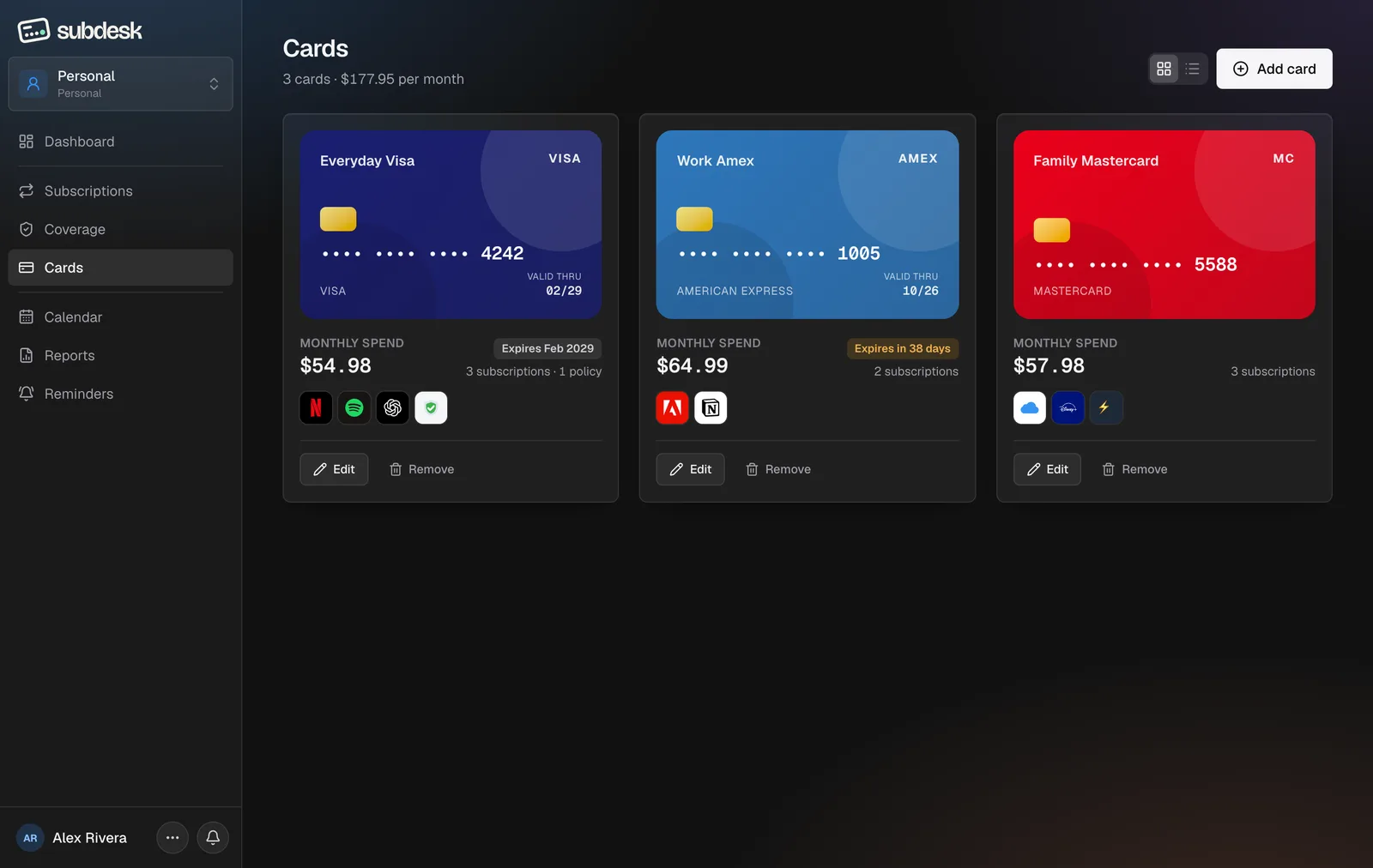
Step 1. Open the form
Choose Add card top right.
Step 2. Describe the card
Give it a nickname ("Everyday Visa"), type the last four digits, and pick the type: Visa, Mastercard, Amex, JCB or other. The preview updates as you type.
Step 3. Expiry month (Plus and Pro)
Add the expiry month and SubDesk emails you 30 and 7 days before the card runs out, naming every subscription it pays for.
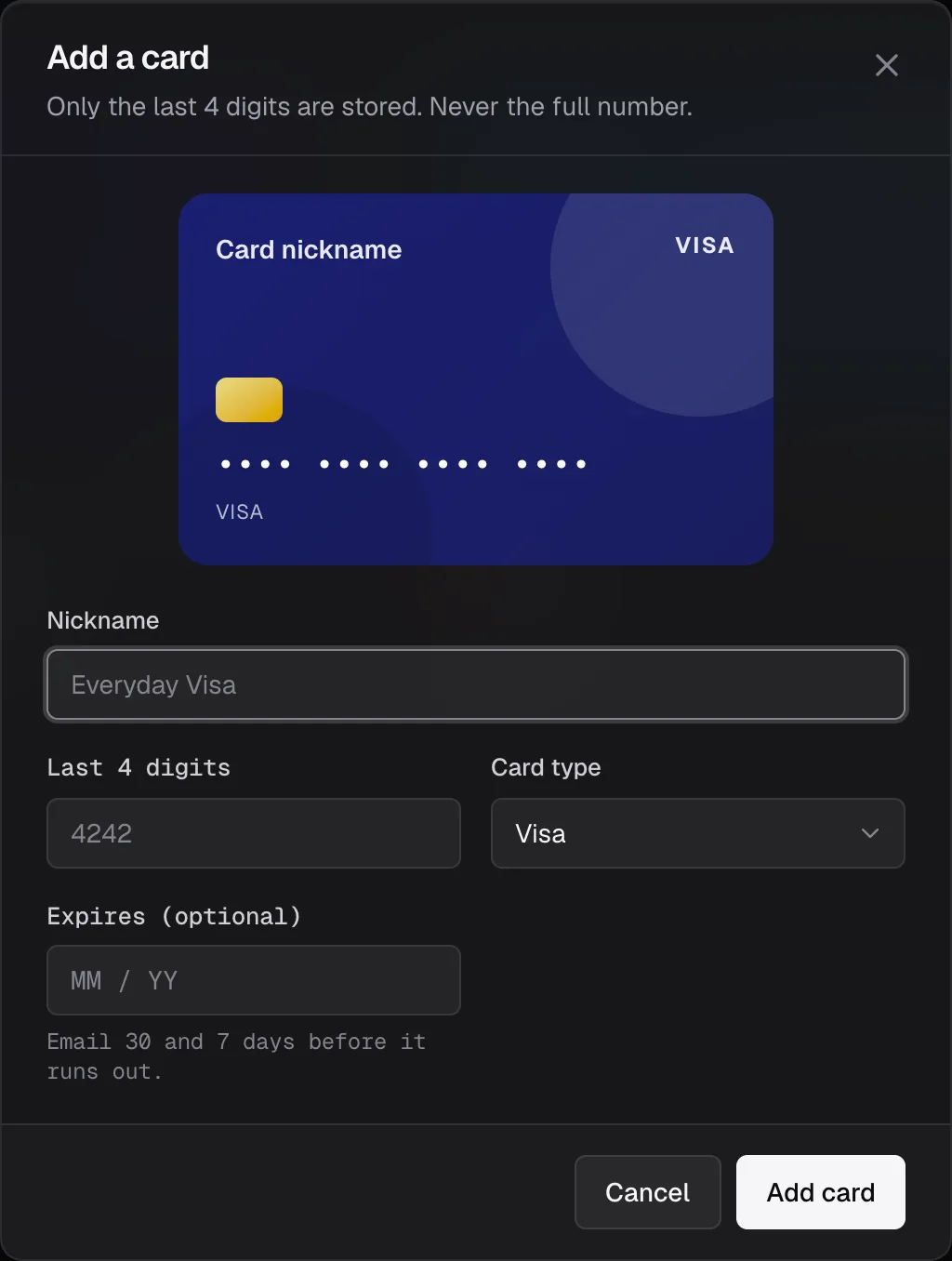
Step 4. Save and link
Choose Add card. Link subscriptions to it from the subscription form's Linked card field. Edit and Remove sit on each tile; removing a card unlinks its subscriptions but keeps them.