Step 1. Have a Business workspace
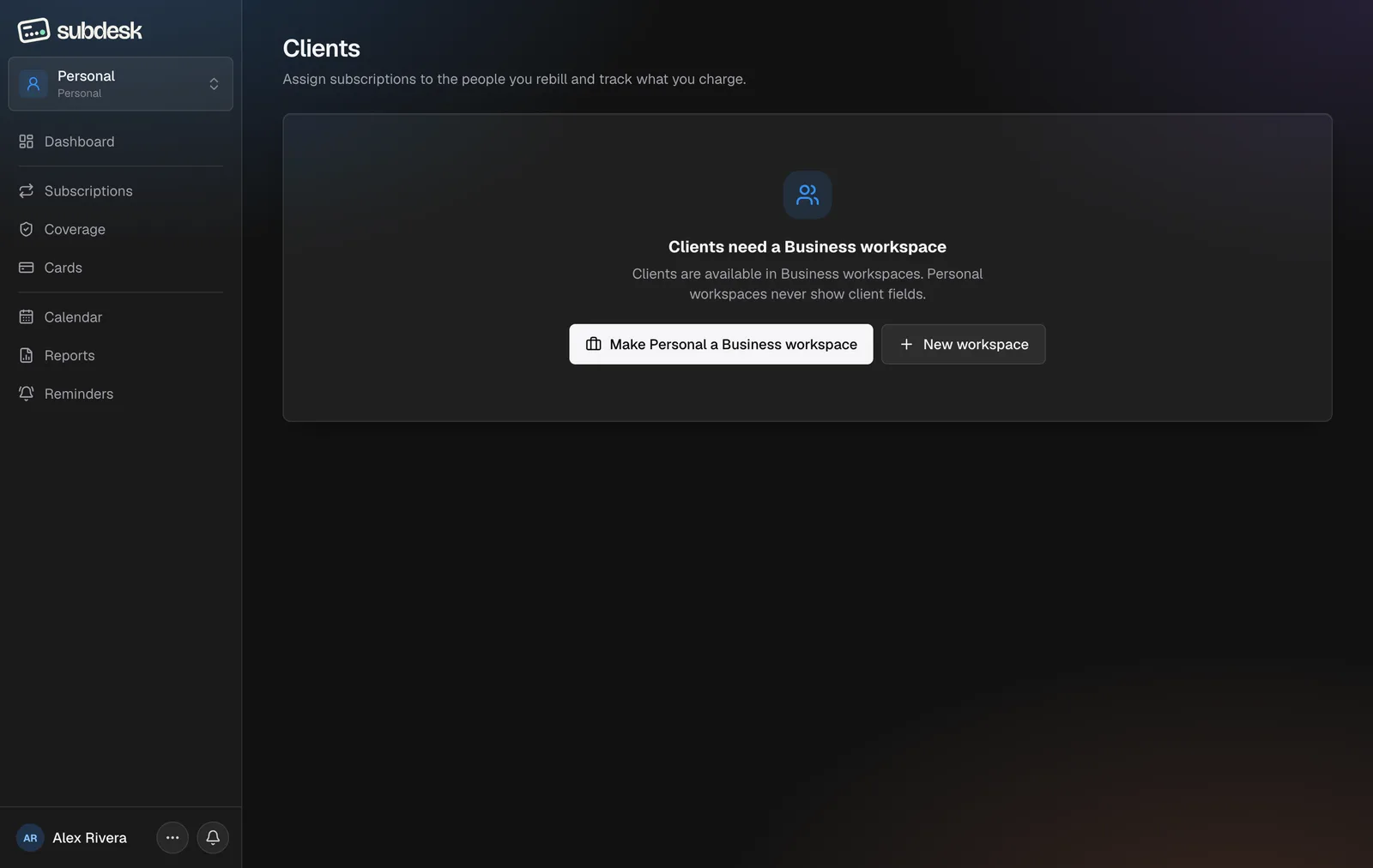
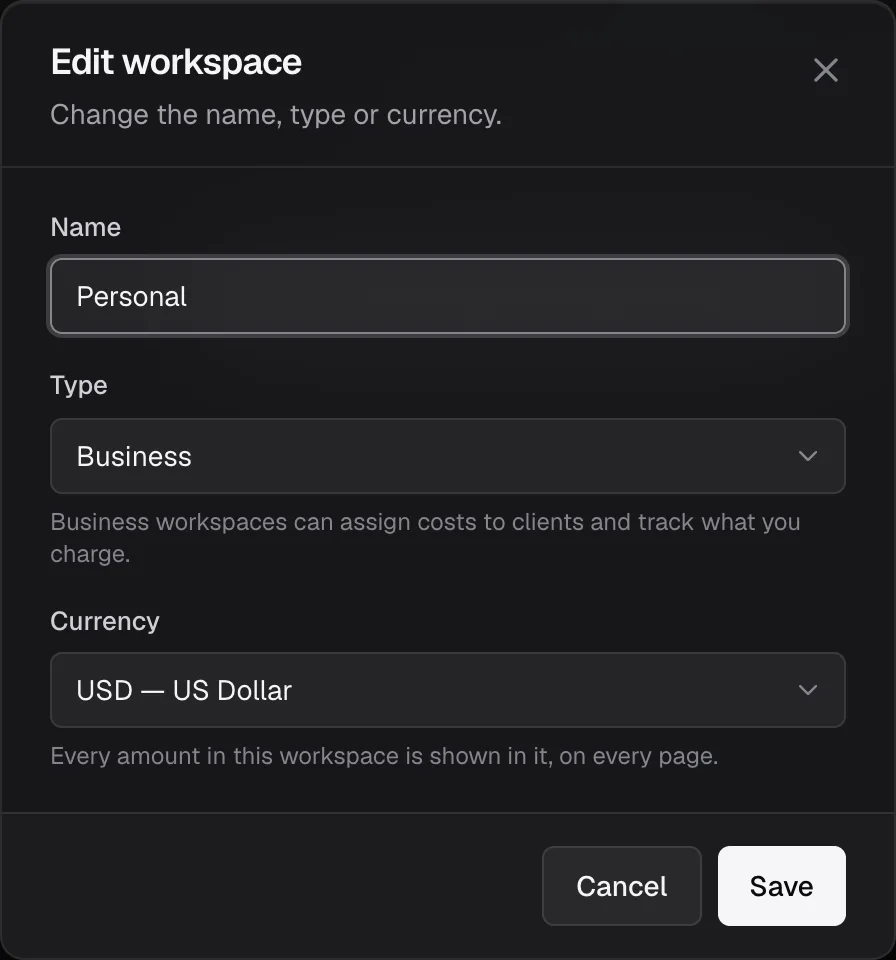
In a Personal workspace the Clients page explains what it needs and offers two ways in: make this workspace a Business workspace (an edit of its type) or New workspace.
Step 2. Open Clients
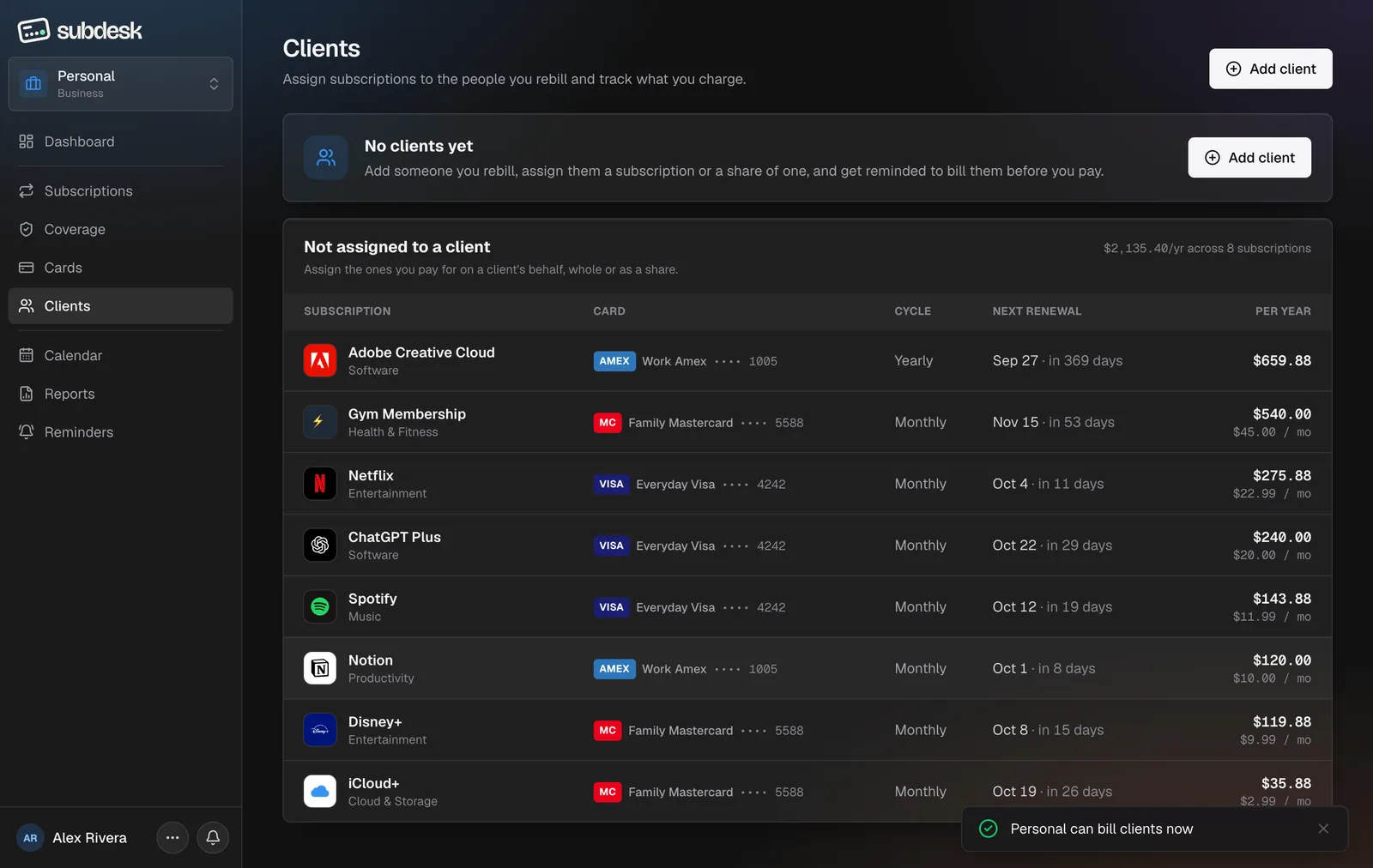
The page lists your clients and, below, every subscription Not assigned to a client with its yearly cost, so you can see what you are absorbing yourself.
Step 3. Add a client
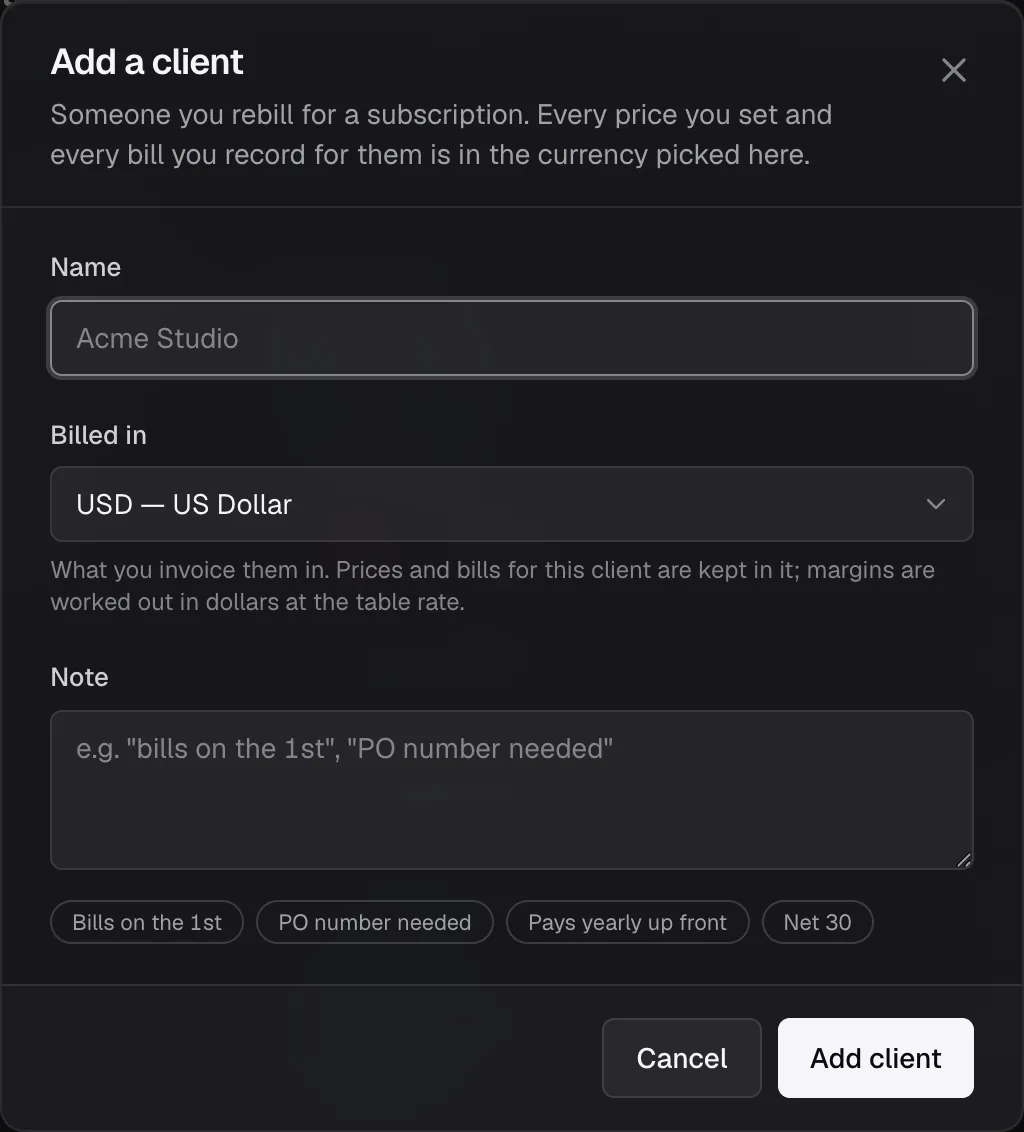
Name them, choose the currency you invoice them in, and add a note. Quick chips fill common terms such as Bills on the 1st or Net 30. Prices and bills for the client stay in their currency; margins are worked out in dollars.
Step 4. Assign services
On the client's page, add a service: pick a subscription, a share of it (a whole seat or a percentage), the price you charge and the billing period. The page shows cost, charge and margin per service, and a Bills history where you record each bill as sent or paid.
Step 5. Get reminded and export
A client-bill reminder goes out before the underlying subscription renews. Export CSV on a client's page hands you every service and bill for your accounts. Archive keeps a former client readable without counting them.